Module 1 - Lab 2 : Add Hosts
Table of Contents
Expand to access the In-page navigation
Objective(-s):
- Add a Host using Sunstone.
- Add a Host using Command Line.
Add a Host using Sunstone.
1.2.1
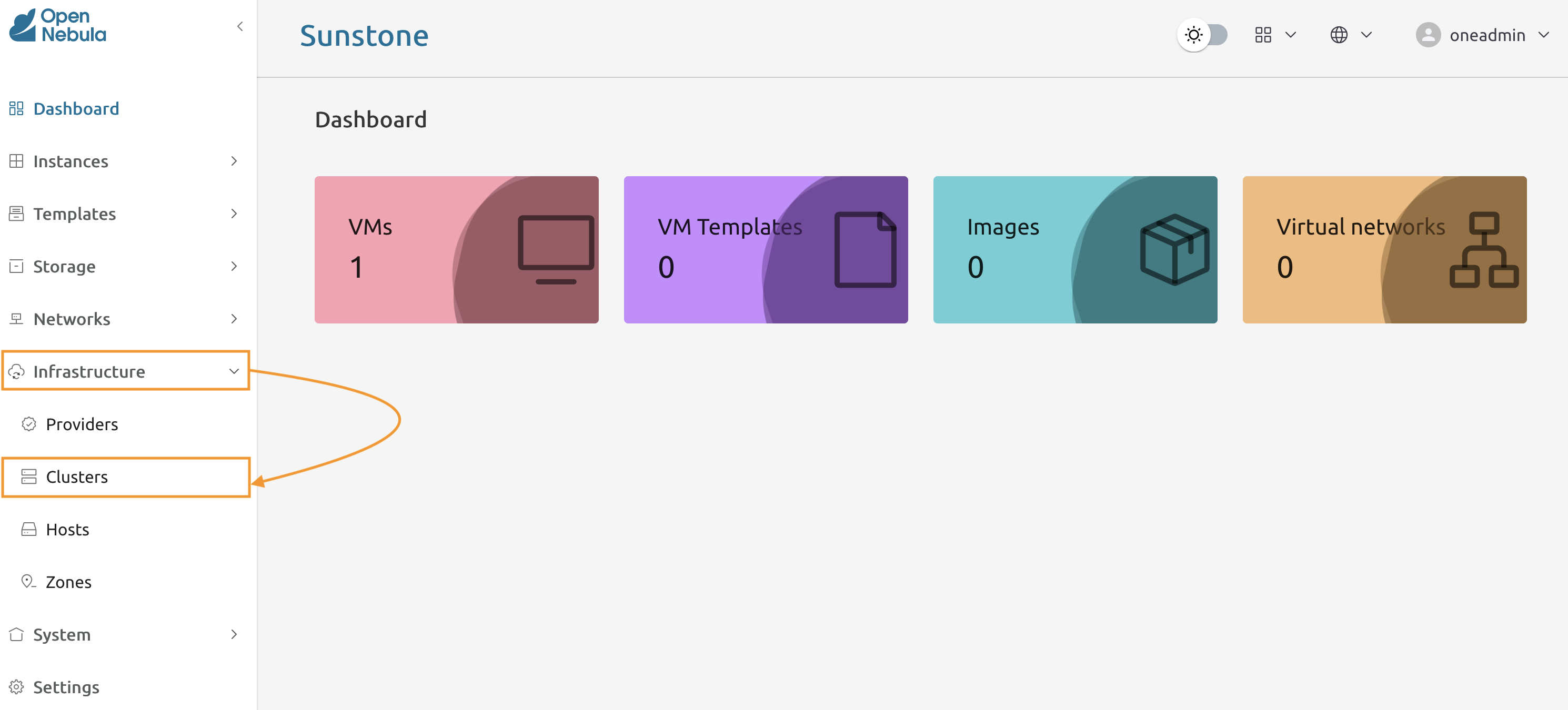
From the menu panel select Infrastructure -> Hosts to access the Hosts screen.
1.2.2
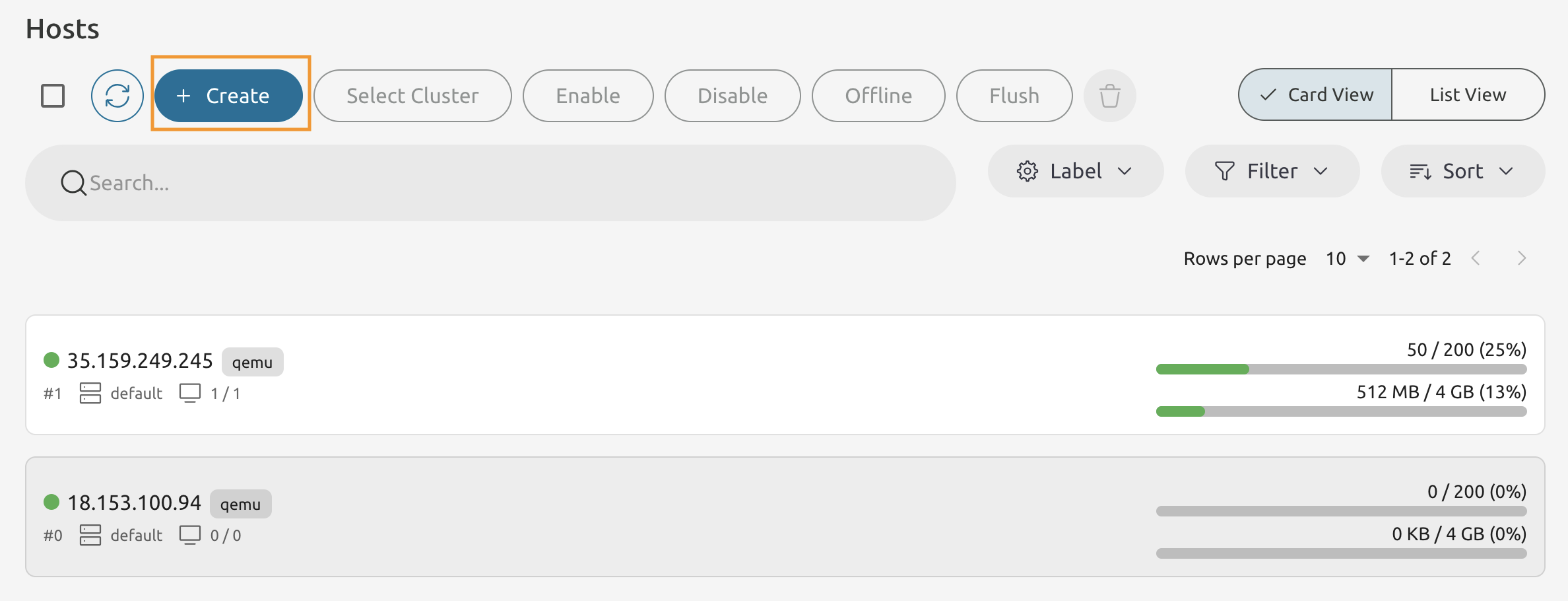
Press Create button to launch the Create Host wizard.
1.2.3
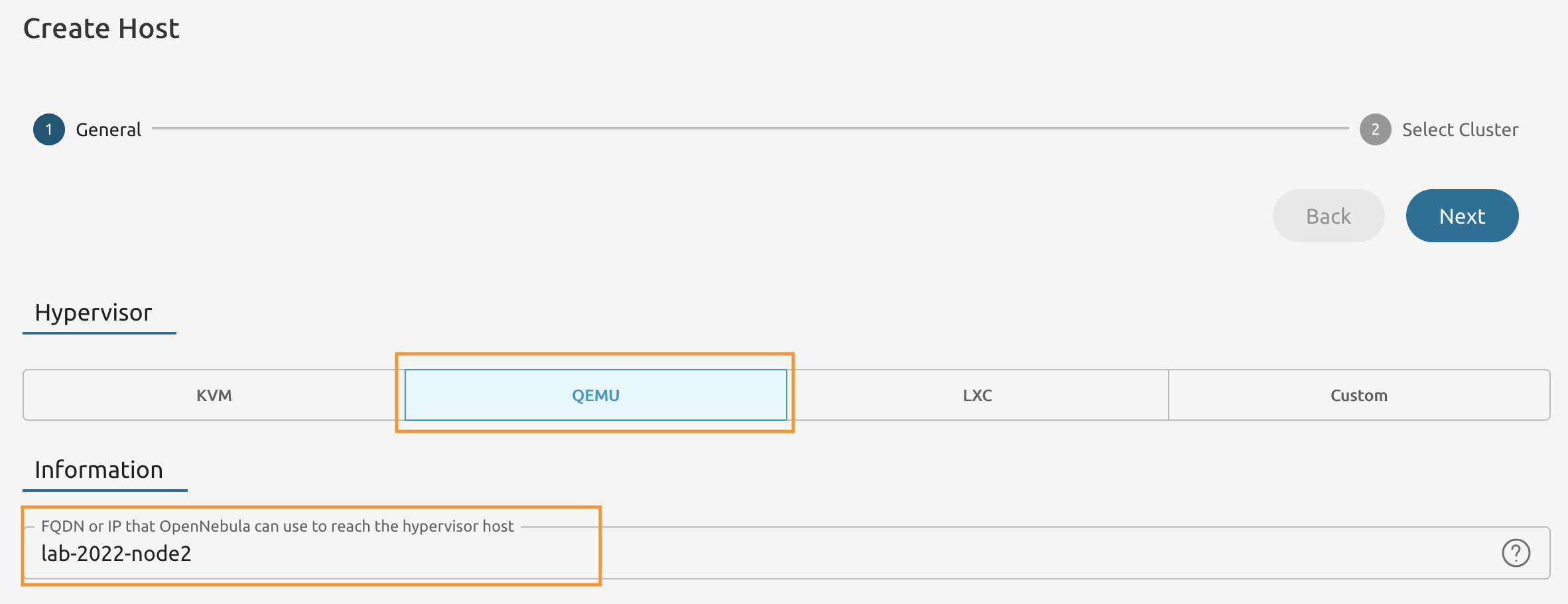
Set the Hypervisor to QEMU.
Make sure to substitute 2022 with your unique Lab ID.
1.2.4
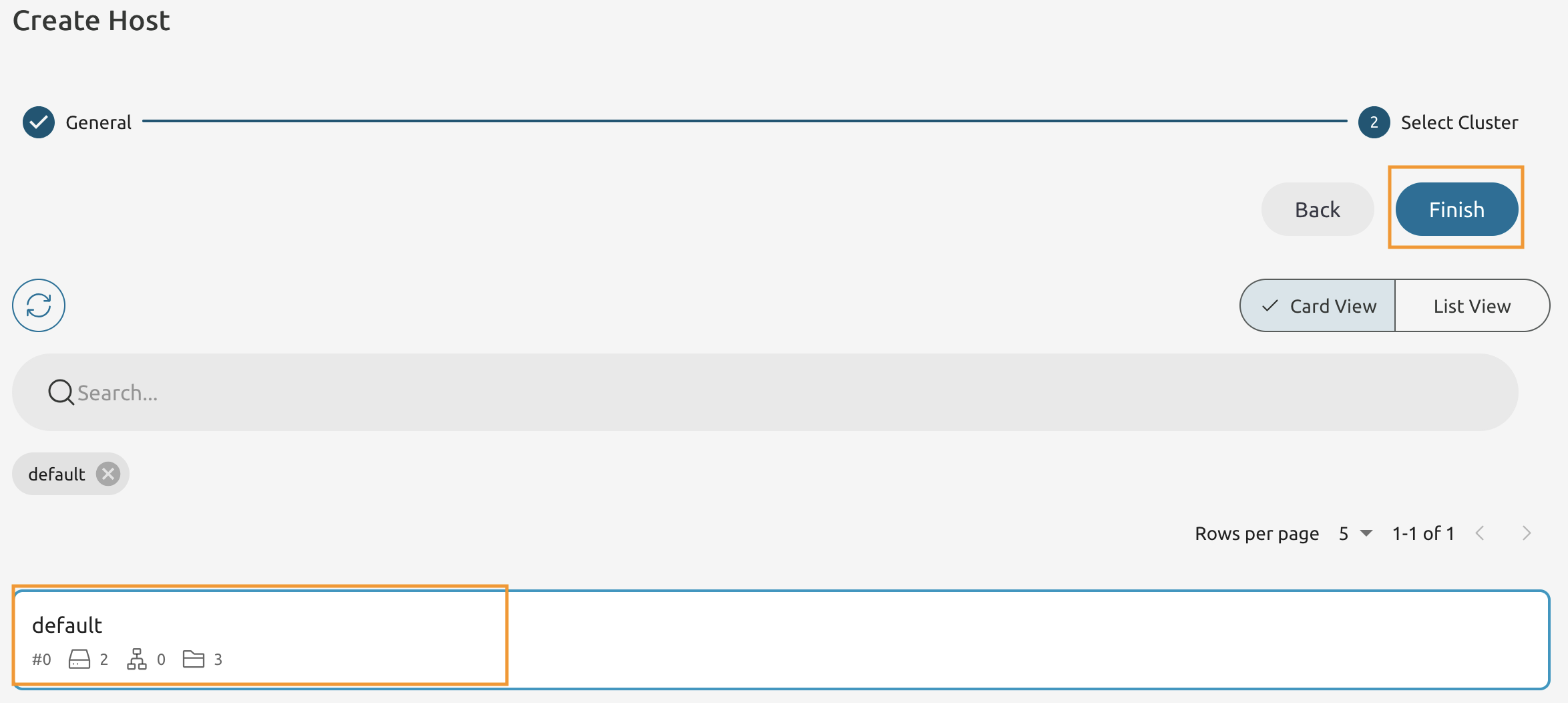
Select the default cluster and press Finish.
1.2.5
If you actioned the previous steps correctly - you will see a new host has been added.
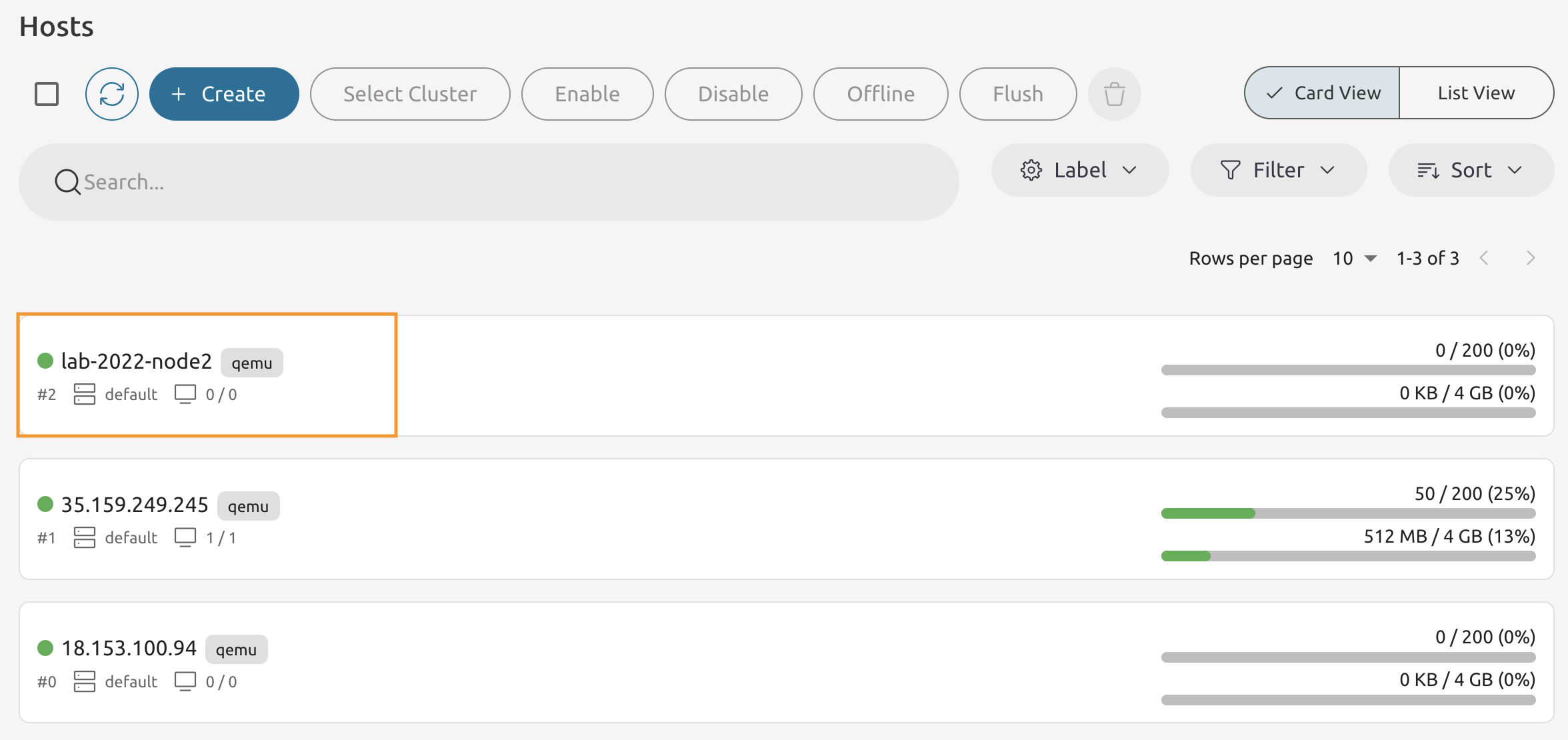
Add a Host using Sunstone.
1.2.6
Switch to the Command Line on the Host 1 and make sure you are logged in as oneadmin user.
Add a host using the onehost command.
Make sure to use your Lab ID!
onehost create -i qemu -v qemu lab-2022-node3
ID: 3
1.2.7
List all your hosts using the onehost command.
onehost list

ID NAME            CLUSTER    TVM      ALLOCATED_CPU      ALLOCATED_MEM STAT
3 lab-2022-node3   default      0       0 / 200 (0%)     0K / 3.8G (0%) on
2 lab-2022-node2   default      0       0 / 200 (0%)     0K / 3.8G (0%) on
1 35.159.249.245   default      1     50 / 200 (25%)  512M / 3.8G (13%) on
0 18.153.100.94    default      0       0 / 200 (0%)     0K / 3.8G (0%) on
If your host is in the int state - run top subcommand to observe the transition from int ot on.
onehost top
Press CTRL + C to exit
1.2.8
Use onehost show command to print the information about the host
onehost show lab-X-node3
HOST 7 INFORMATION
ID                    : 3
NAME                  : lab-2022-node3
CLUSTER               : default
STATE                 : MONITORED
IM_MAD                : qemu
VM_MAD                : qemu
...
Now try the same command but with -x flag.
onehost show -x lab-X-node3
How does the output differs?