Module 5 - Lab 2 : Security Groups
Table of Contents
Expand to access the In-page navigation
Objective(-s):
- Create a Security Group.
- Attach the Security Group to the Isolated Virtual Network.
6.2.1
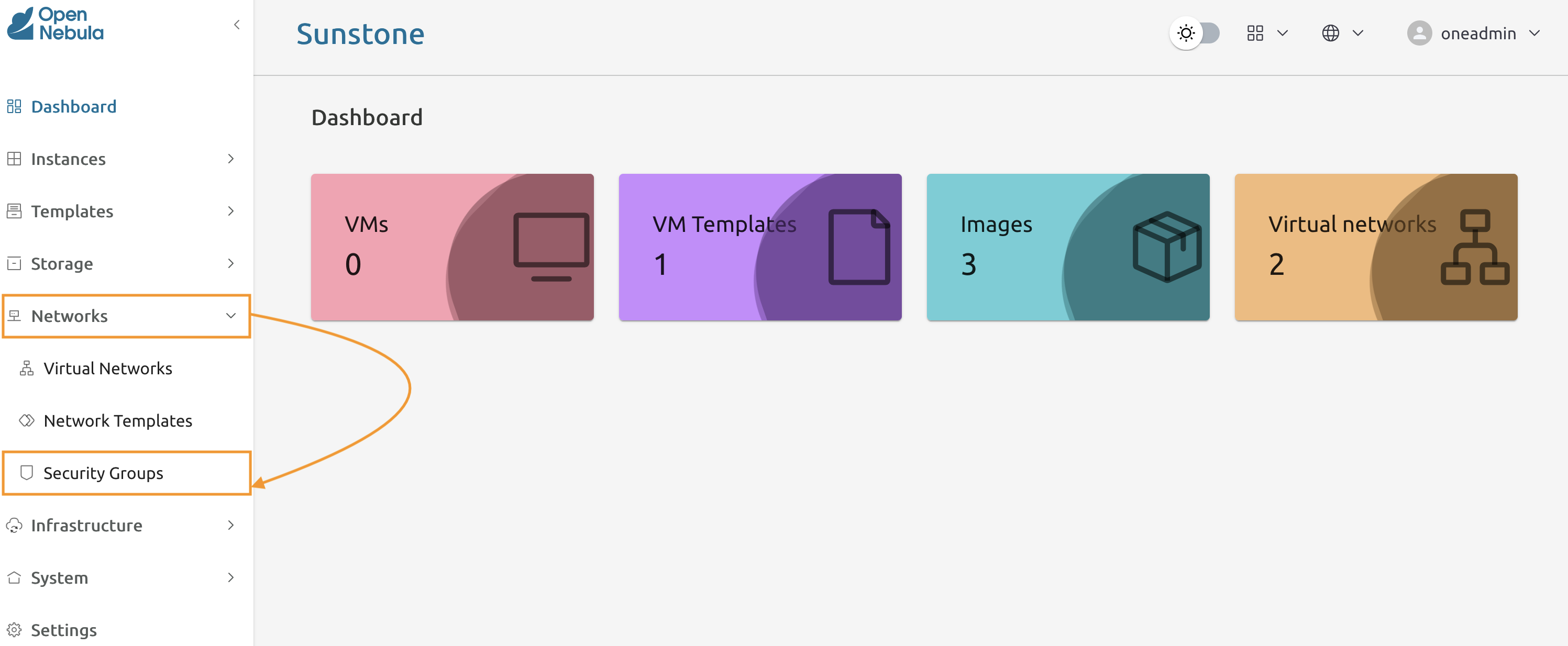
Navigate to Networks -> Security Groups.
6.2.2
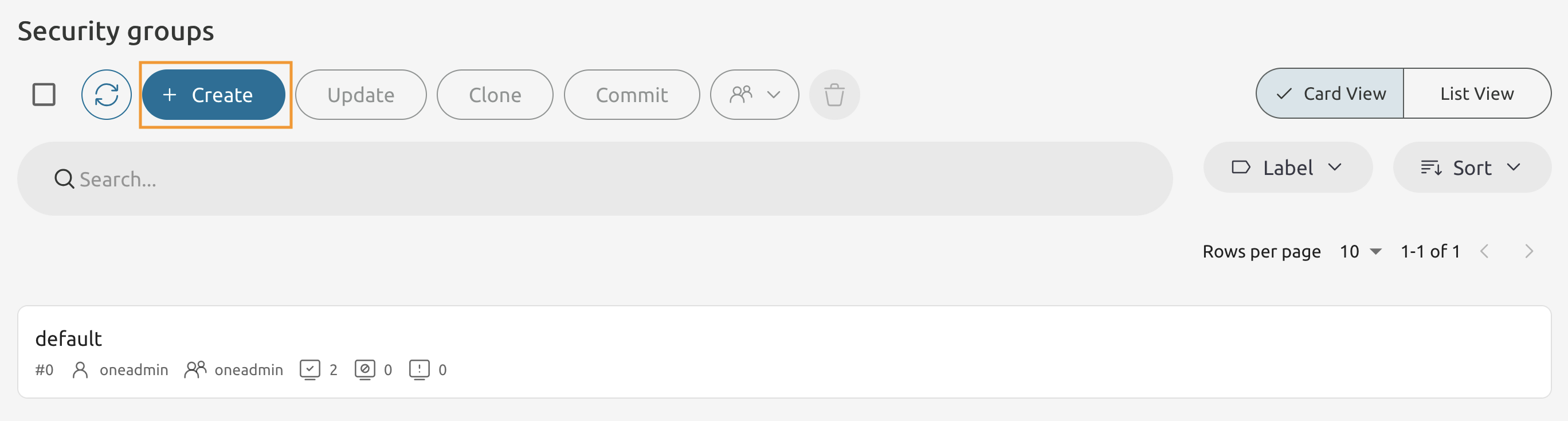
Press the Create button to add a new Security group.
6.2.3
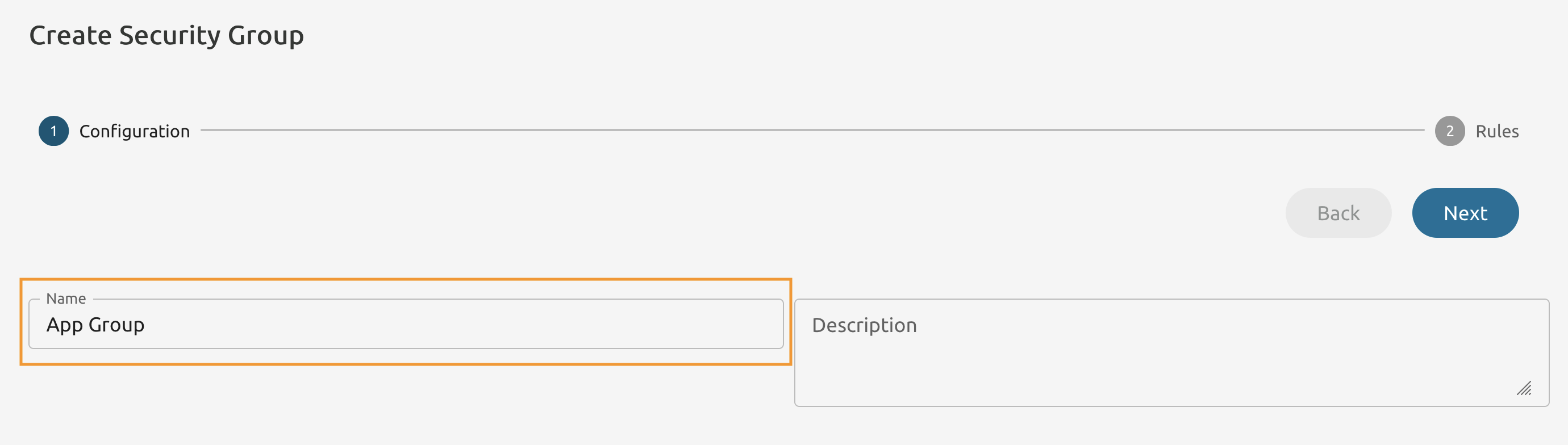
Name it as App Group.
6.2.4
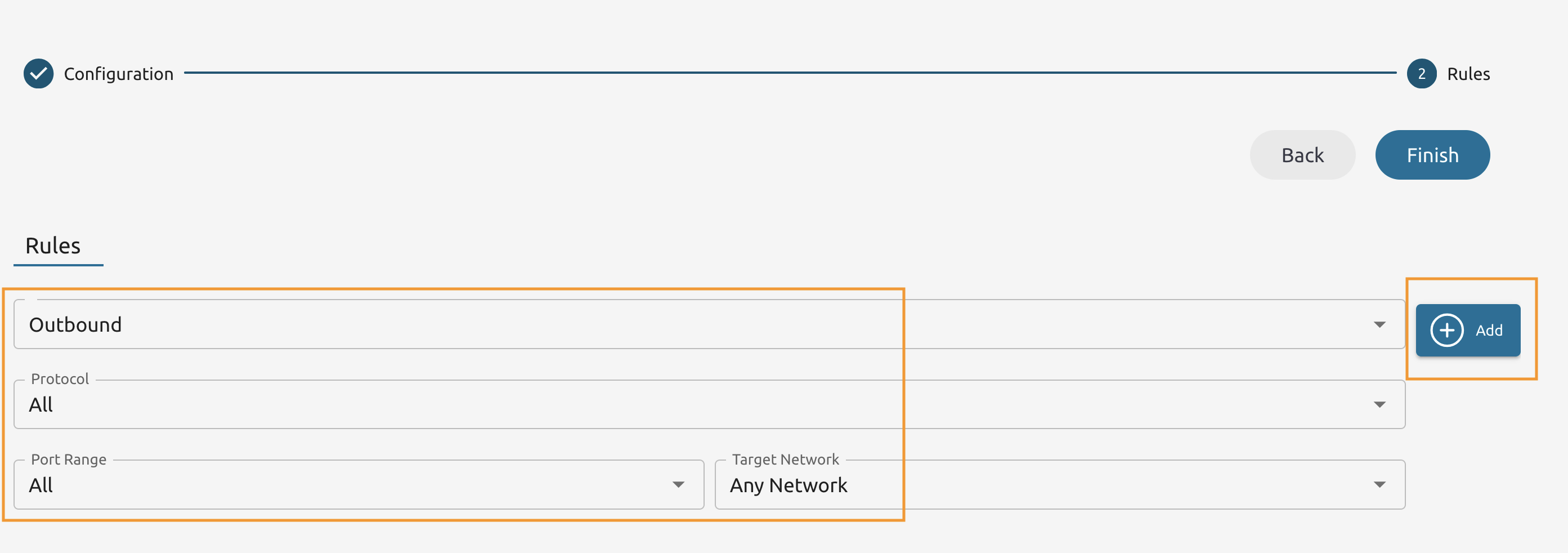
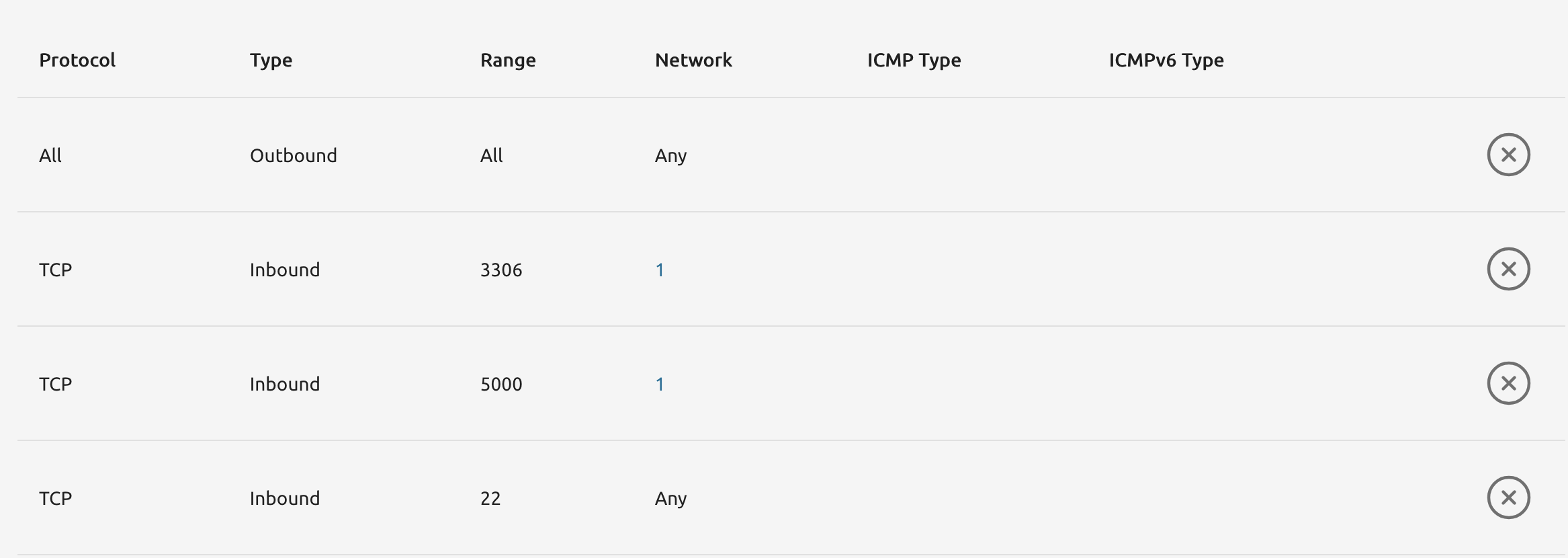
Add a new Outbound Rule with the settings as seen below.
6.2.5
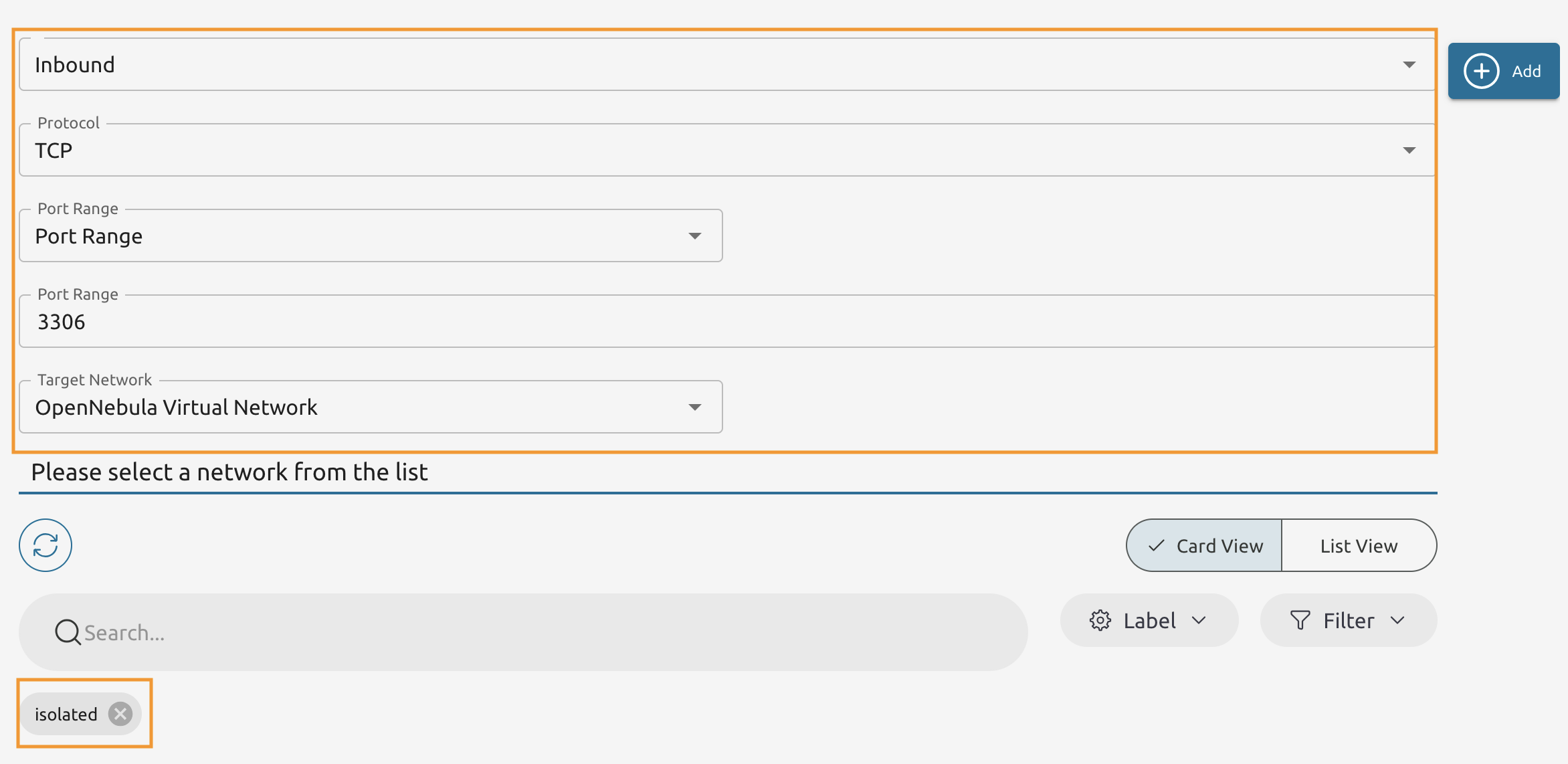
Add another Rule. This time it’s the Inbound rule to allow MySQL TCP traffic from isolated.
6.2.6
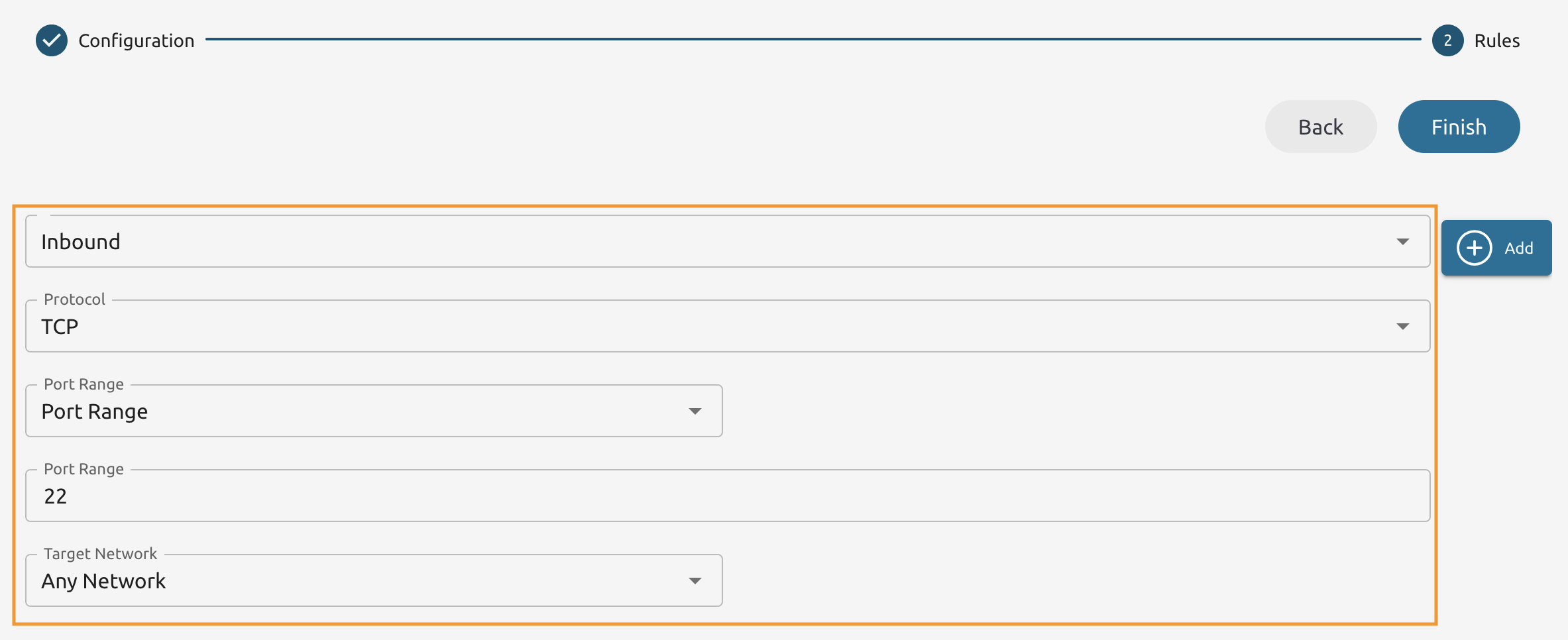
Add another Inbound rule. This time allow traffic targeting the port 22/tcp from Any Network.
6.2.7
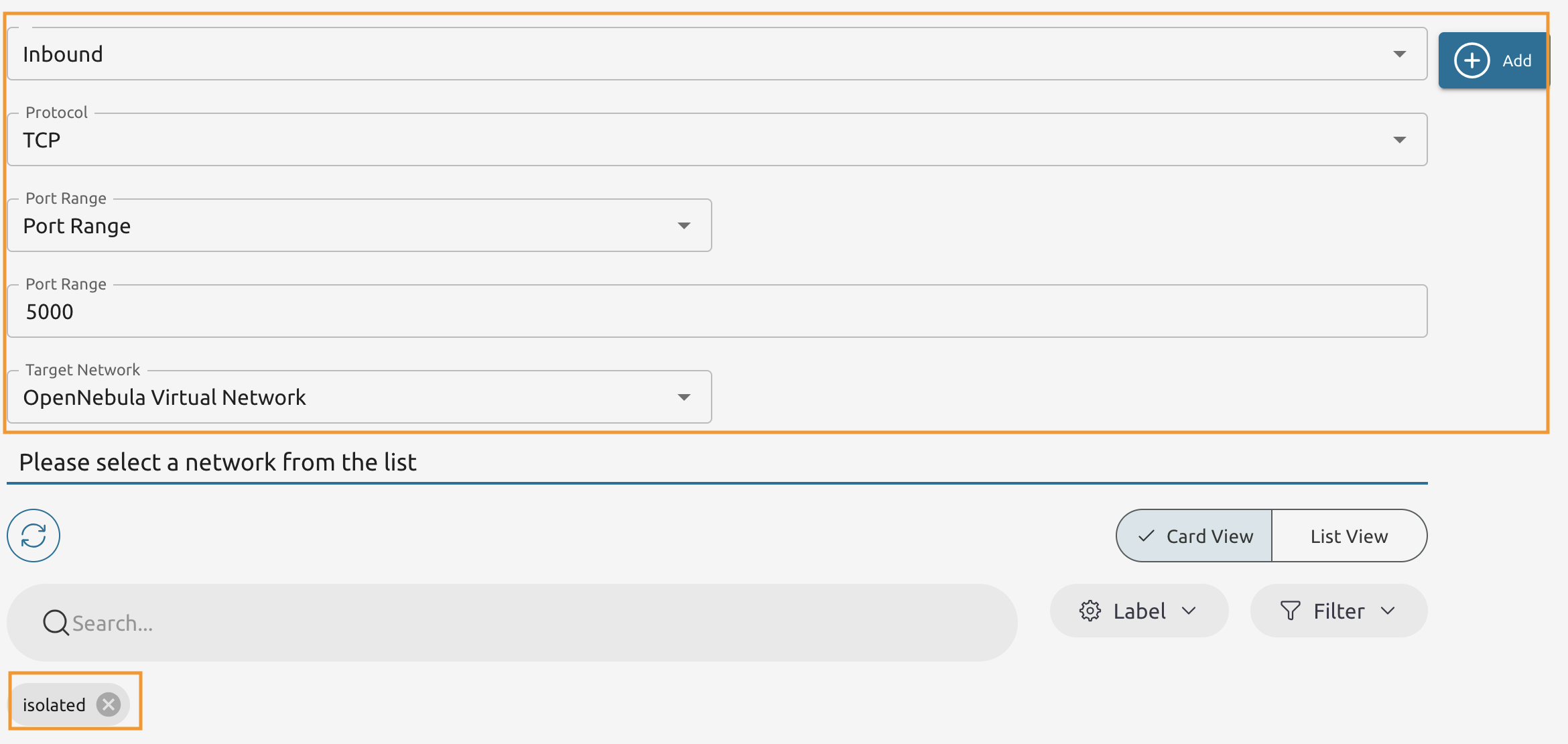
Add another Inbound rule. This time allow traffic to 5000/tcp from the isolated network.
5.2.8
Verify that you have the rules added and press Finish to add the Security Group.
6.2.9
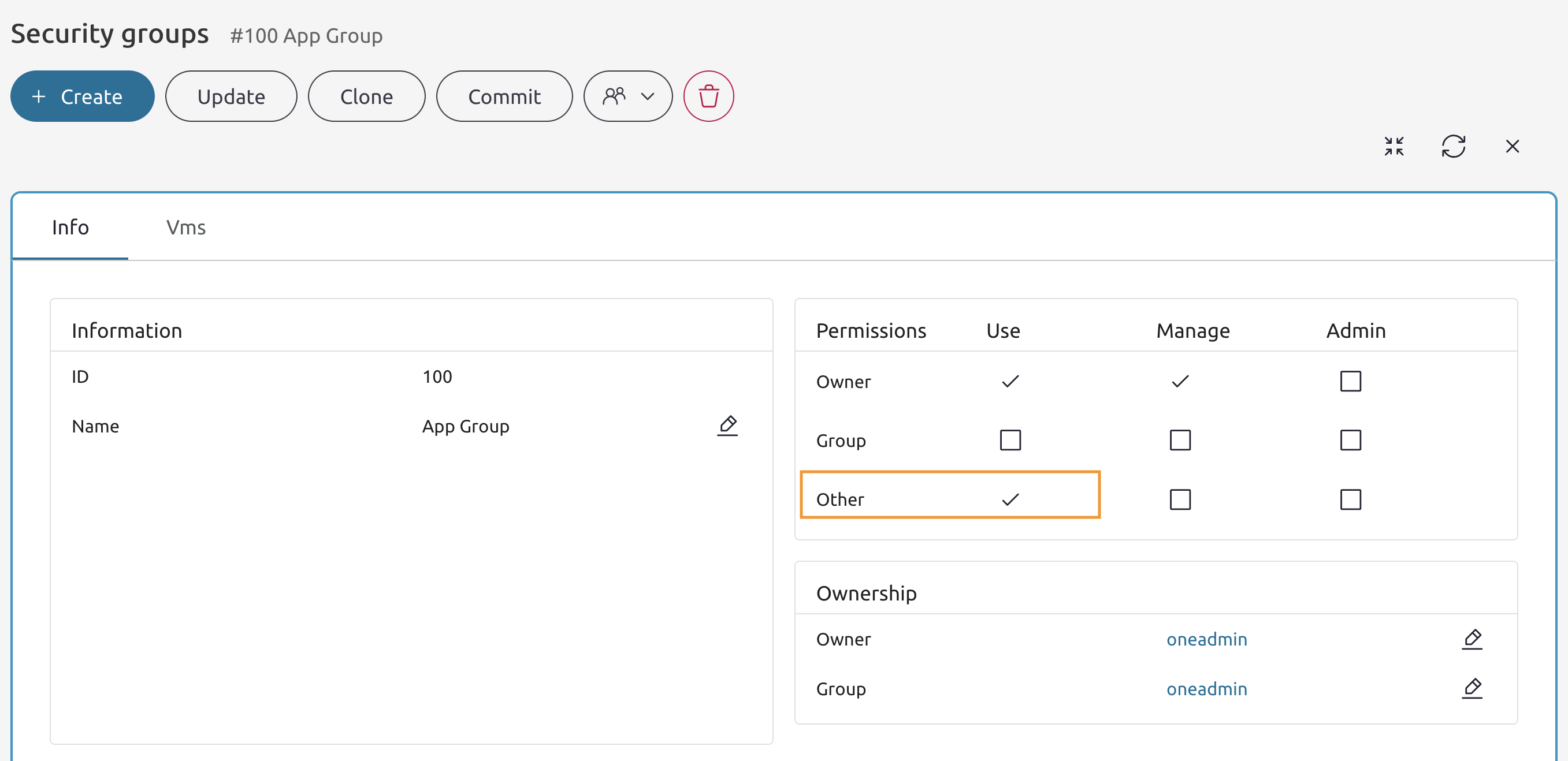
Enable Other users to Use the newly created Security Group.
6.2.10
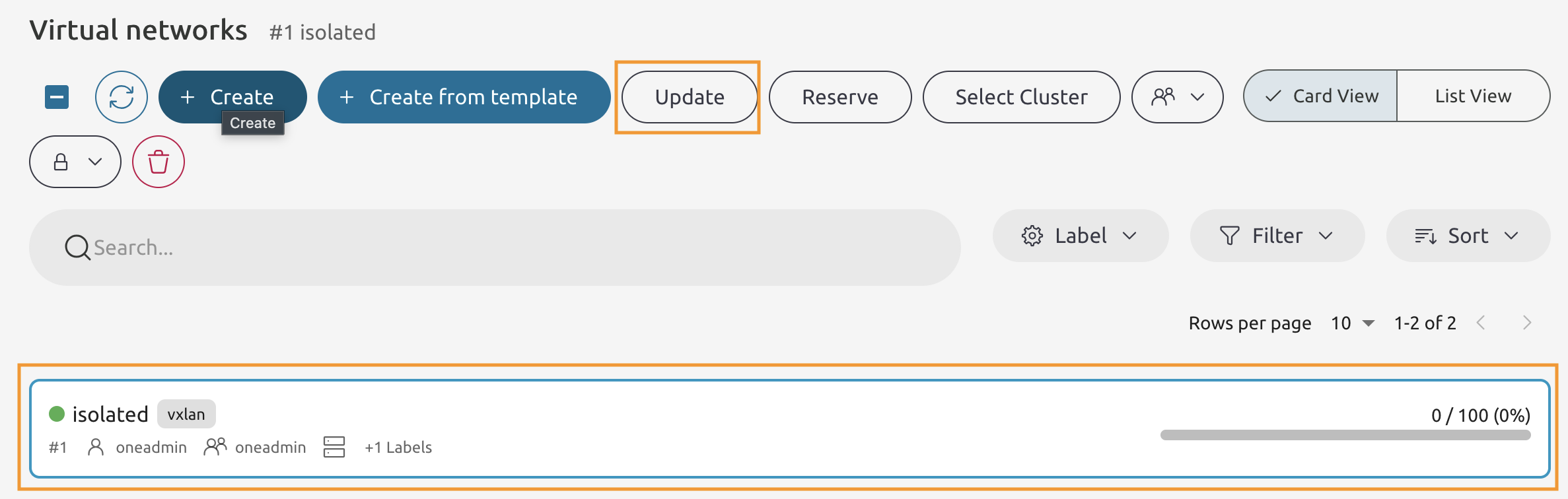
Select the isolated Virtual Network and press the Update button.
6.2.11
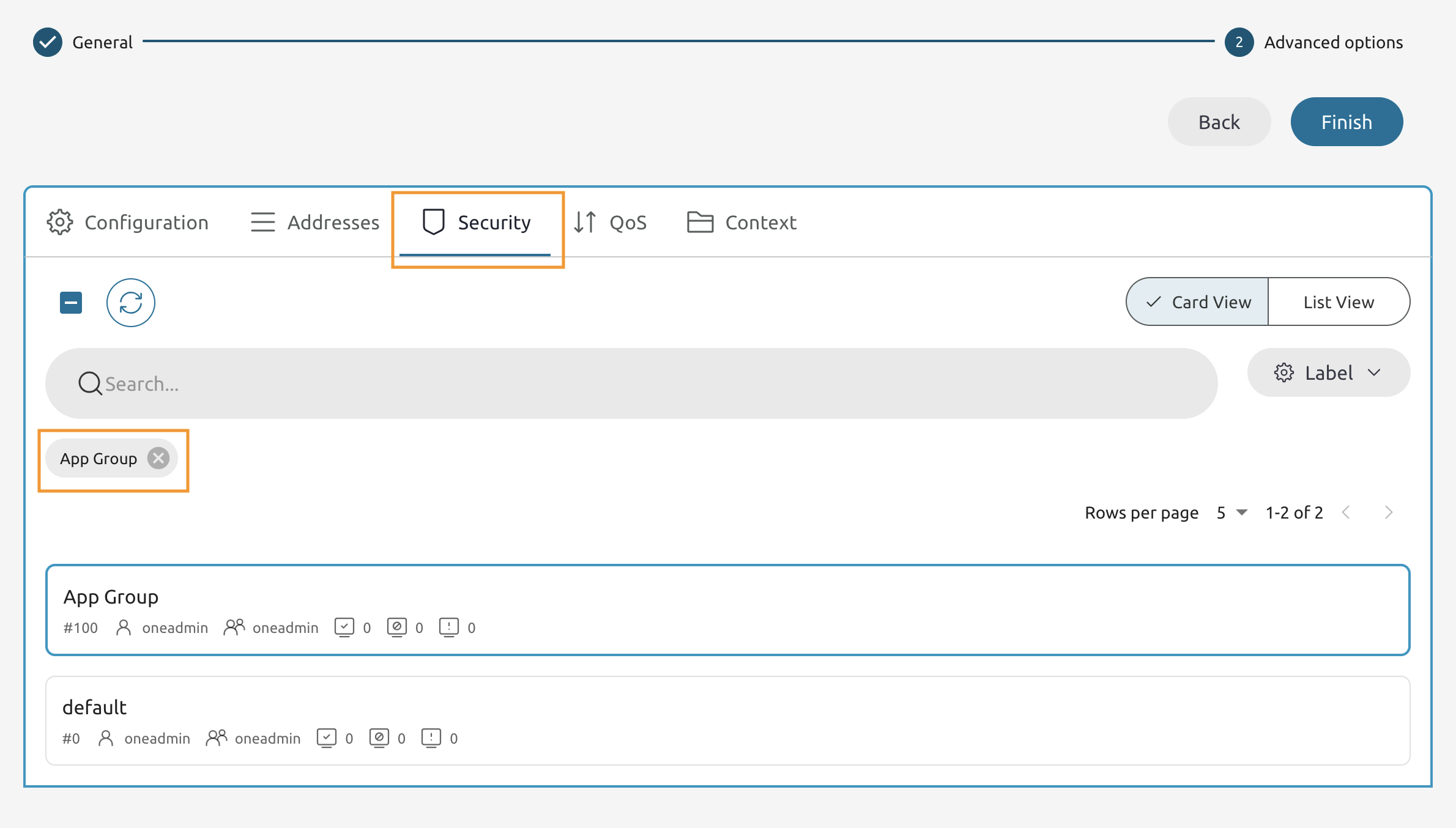
Add the App Group and then remove the default group, then press Finish.